


Reads the imports of a JavaScript or TypeScript project and reports, for each package.json:
- packages that files import but no section of the closest
package.jsonlists; - dependencies listed in
"dependencies"that no file imports; - packages that runtime code imports but only
"devDependencies"lists.
With --update it fixes package.json: adds the missing packages at their latest version, removes the unused ones and moves the misplaced ones to "dependencies".
It works with any number of package.json files, so a monorepo is checked in one run.
npx check-imports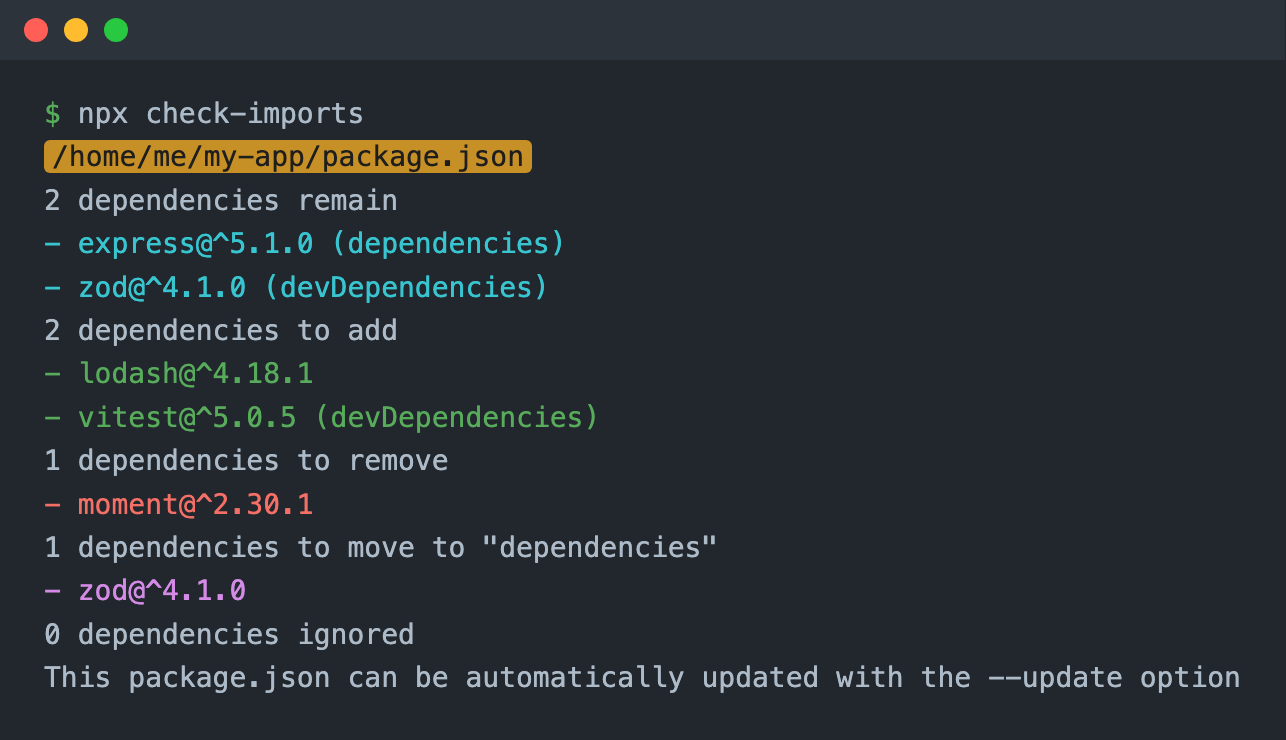
Requires Node.js 22.12 or later.
- Finds the files. The
.js,.jsx,.ts,.tsx,.mjs,.cjs,.mtsand.ctsfiles in the directory (the current one, or-d). In a git repository the list comes from git, so what.gitignorelists is skipped: build output, caches, generated code. Outside a repository every file is read exceptnode_modules. When a checked file imports an ignored file (a generated client, for example) by a relative path or a tsconfig alias, that file is read too, for the importing package. - Collects the imports. Each file is parsed with the TypeScript parser (ts-morph), JSX included, for the specifiers of
import … from,import(),require(),export … fromandimport x = require(). A specifier counts only when it is a string literal. - Turns each specifier into a package name:
lodash/pickbecomeslodash,@scope/pkg/foobecomes@scope/pkg;- webpack syntax goes:
style-loader!css-loader!pkg?querybecomespkg; - skipped: relative and absolute paths, Node.js built-ins (
fs,node:test), URLs, subpath imports (#internal), names npm can't publish (@/components,~/utils), and the package's own name; - skipped as well: aliases from the closest
tsconfig.jsonorjsconfig.json(extendsand project references included): apathsentry whose target exists, and a file underbaseUrl. As in TypeScript, apathstarget that doesn't exist falls back to the package. Apathsentry that points into a workspace package with that name is the package. An aliased name thatpackage.jsonlists counts as used, since the code it maps to may need it.
- Sorts the files into runtime and dev. Dev files are tests, stories, config files and scripts (the list is under
devPathbelow). Type-only imports (import type,export type … from) and imports in.d.tsfiles count as dev too. - Groups the names by the closest
package.jsonof each file and compares:- a package listed in
"dependencies","devDependencies","peerDependencies"or"optionalDependencies"is present, and its version stays. A type-only import is also satisfied by its@typespackage (@types/json-schema,@types/babel__core); - a package listed nowhere is missing; with
--updateit is added at^<latest version>: to"devDependencies"when only dev files import it, to"dependencies"otherwise. The version comes from the registry npm uses (npm_config_registry, or registry.npmjs.org). A package the registry doesn't have goes to"checkImportsMissingDependencies"with the version?.?.?; - a package in
"dependencies"that no file imports is unused; with--updateit is removed. An@typespackage stays while the package it types is imported; - a package that runtime code imports but only
"devDependencies"lists is misplaced: installing the published package wouldn't install it. With--updateit moves to"dependencies"with its version. Apackage.jsonwith"private": trueisn't published, so this check skips it.
- a package listed in
--update keeps the file's indentation and final newline, and doesn't touch a package.json that needs no change. Run npm install afterwards.
For a private registry, set NPM_TOKEN; it is sent as a bearer token.
A check-imports-ignore-line comment ignores the imports on its line. On a line of its own, it ignores the next line.
require('lodash'); // check-imports-ignore-line

// check-imports-ignore-line
import foo from 'foo';npx check-imports [options]-d,--directory-path <path>: the directory to check. Default: the current one.-u,--update: update thepackage.jsonfiles.-e,--throw-error: exit with code 1 when apackage.jsonhas missing, unused or misplaced dependencies (for CI). The result is printed first.-n,--ignore-imports <names>: comma-separated packages to leave alone: never added, removed or moved (-n react,tslib).--ignore-path <globs>: comma-separated globs of files to skip, relative to the directory (--ignore-path "legacy/**,**/*.test.js").--dev-path <globs>: comma-separated globs of dev files, relative to eachpackage.json; they replace the default list.--no-gitignore: read the files.gitignorelists too.--json: print the result as JSON (the API's result below) and nothing else. With-e, the error goes to stderr.-V,--version,-h,--help.
import checkImports from 'check-imports';

const results = await checkImports(options);directoryPath = process.cwd(): the directory to check.update = false: update thepackage.jsonfiles.throwError = false: after checking everypackage.json, throw aCheckImportsErrorthat lists each one with missing, unused or misplaced dependencies. The error'sresultsholds the result. Withupdate, the files are written first.log = false: print the result, as the CLI does.ignorePath = []: a glob or an array of globs of files to skip, relative todirectoryPath.devPath = DEFAULT_DEV_PATHS: a glob or an array of globs of dev files, relative to eachpackage.json. The default, exported asDEFAULT_DEV_PATHS:**/*.{test,spec}.*,**/__tests__/**,**/__mocks__/**,**/test/**,**/tests/**,**/e2e/**,**/*.stories.*,*.config.*and**/scripts/**. To add to it:devPath: [...DEFAULT_DEV_PATHS, 'qa/**'].gitignore = true: in a git repository, skip what.gitignorelists.processManually: a function called with each package name: every imported package missing frompackage.json, every misplaced one, and every unused one in"dependencies". It returns:true: handle the package the regular way;false: leave it alone: an imported one isn't added (it shows inignored), a misplaced one isn't moved, an unused one isn't removed;- an object with optional
versionandtype:versionsets the version instead of the latest one,typesets the section it goes to ("peerDependencies","optionalDependencies"or any custom key). The default type is"dependencies", or"devDependencies"for a package only dev files import. A misplaced package with atypeother than"dependencies"stays where it is.
import { DEFAULT_DEV_PATHS } from 'check-imports';

const results = await checkImports({
  directoryPath: path.resolve(import.meta.dirname, 'foo'),
  ignorePath: ['**/ignored.*'],
  devPath: [...DEFAULT_DEV_PATHS, 'qa/**'],
  processManually: (dependency) => {
    if (dependency === 'react') {
      // add it to peerDependencies with this version
      return { version: '>=18', type: 'peerDependencies' };
    }
    if (dependency === 'react-redux') {
      // add it to customDependencies at the latest version
      return { type: 'customDependencies' };
    }
    if (dependency === 'moment') {
      // add it at this version
      return { version: '^2.30.0' };
    }
    if (dependency === 'redux') {
      // leave it alone
      return false;
    }

    return true;
  },
  update: true,
});An array with one item per package.json:
{
  packagePath: string; // the package.json
  dependencies: string[]; // the package names its files import
  result: {
    existing: DependencyInfo[]; // imported and listed
    added: DependencyInfo[]; // imported, not listed
    removed: DependencyInfo[]; // in "dependencies", not imported
    misplaced: DependencyInfo[]; // imported by runtime code, listed only in "devDependencies"
    ignored: DependencyInfo[]; // imported, left alone by processManually
    package: PackageJson; // the package.json as it is after the check
  };
}

type DependencyInfo = { dependency: string; version: string | null; type: string; ignore: boolean };
The types (CheckImportsOptions, CheckImportsResult, ProcessManuallyResult, DependencyInfo, PackageJson) are exported.
MIT