


Pygments lexers for shell console sessions: highlighted prompts and git output.
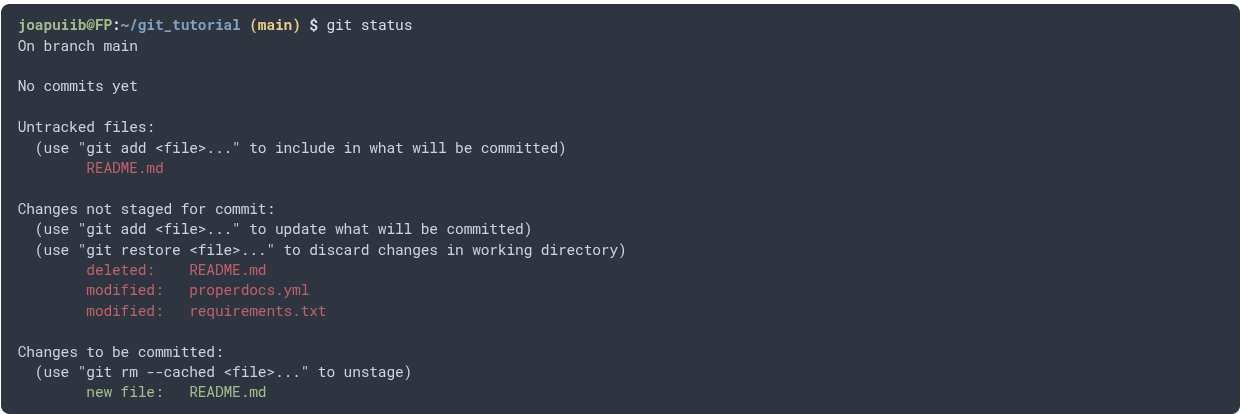
pip install pygments-shell-console
Use the shellconsole lexer with the shellconsole-style style:
pygmentize -l shellconsole -O style=shellconsole-style session.txt
In Markdown (MkDocs, Sphinx...), use shellconsole as the code block language:
```shellconsole
user@host:~/project (main) $ git status
```
The prompt elements are highlighted separately:
(venv) user@host:~/project (main) $
Virtualenv, user@host, directory and git branch. Also supported:
- Root prompts (
root@host:~#) and[user@host ~]style prompts. - Continuation lines: backslash, trailing
|,&&or||, and here-documents.
The output lexer is chosen from the command. sudo and git global options
(-C dir, --no-pager...) are skipped.
| Command | Lexer | Alias |
|---|---|---|
diff, git diff, git stash show -p |
DiffLexer |
|
git status |
GitStatusLexer |
git-status |
git status -s, --porcelain |
GitShortStatusLexer |
git-short-status |
git show |
GitShowLexer |
git-show |
git log, --oneline, -p |
GitLogLexer |
git-log |
git lg*, git log --graph |
GitPrettyLogLexer |
git-pretty-log |
git branch |
GitBranchLexer |
git-branch |
git merge, pull, stash show, diff --stat |
GitMergeLexer |
git-merge |
any other git command |
GitLexer |
git |
The git lexers can also be used on their own through their alias.
git lg* expects this format:
log --graph --abbrev-commit --decorate --format=format:'%C(bold blue)%h%C(reset) - %C(bold green)(%ar)%C(reset) %C(white)%s%C(reset) %C(dim white)- %an%C(reset)%C(bold yellow)%d%C(reset)'
More examples: mkdocs-material-joapuiib.
pip install -e '.[test]'
pytest