
The Task Manager Application is a full-stack task management application designed to help users organize their daily tasks efficiently. It includes features like adding, editing, deleting, and marking tasks as completed, ensuring better productivity and time management. The backend is built using ASP.NET Core with Entity Framework, while the frontend is developed using Next.js for a responsive and interactive user interface.
- Clone the repository:
git clone https://github.com/gh-kaja-kumar/todo_Kaja.git
- Navigate to the backend directory:
cd Task-Manager/Todo.Backend - Restore NuGet packages:
dotnet restore
- Apply migrations and seed data:
dotnet ef database update
- Run the backend server:
The backend will be available at
dotnet run
http://localhost:5025(change the port if yours is different).
- Navigate to the frontend directory(Open new terminal):
cd Task-Manager/TaskManager.Frontend - Copy the
.env.examplefile to.env.local:cp .env.example .env.local
- Open the
.env.localfile and ensure theNEXT_PUBLIC_API_BASE_URLis set to your backend's base URL:NEXT_PUBLIC_API_BASE_URL=http://localhost:5025/api
- Install dependencies:
npm install
- Start the development server:
The frontend will be available at
npm run dev
http://localhost:3000.
- Environment Variables:
- The
.env.examplefile contains a template for environment variables. Ensure you copy it to.env.localand update the values as needed.
- The
- Backend Port:
- If your backend runs on a different port, update the
NEXT_PUBLIC_API_BASE_URLin the.env.localfile accordingly.
- If your backend runs on a different port, update the
Test the Application:
- Register a new user or log in with an existing account.
- Add, edit, delete, and manage tasks.
- If you are an admin, test admin-specific features like managing other users' tasks.
- To test the admin portal, use the following credentials:
- Username:
admin - Password:
admin
- Username:
- For backend testing through Swagger, navigate to:
-
Add New Tasks
Users can create tasks with title, description, due date, priority, and category. -
View Tasks
Tasks are displayed in a user-friendly list with filtering and progress tracking. -
Edit & Delete Tasks
Users can edit or delete their own tasks. Admins can manage all tasks. -
Mark Tasks as Completed
Users can track task completion via checkboxes. -
Filter & Sort Tasks
Filter tasks by:- Status (completed, incomplete, overdue)
- Priority (Low, Normal, High)
- Category (e.g., Work, Personal)
Tasks are also sorted by Due Date by default.
-
Overdue Highlight
Overdue tasks are visually marked with a red “Overdue” label for quick recognition. -
Prioritize Tasks
Toggle between priority levels using the star icon. -
Multi-User Support
Each user has their own tasks. JWT-based login ensures only authenticated users access their data. -
Admin Mode
Admins can:- View all tasks
- View and manage tasks of any specific user via username or
/admin/{userId} - Edit or delete any task (without restrictions)
- Assign tasks to other users
-
Authentication (JWT)
Secure login and logout with JSON Web Tokens. -
Responsive UI
Clean, mobile-friendly layout using Tailwind CSS. -
Persistent Storage
All data is stored in a SQLite database using a .NET backend.
Users can interact with the application by:
-
Register
New users can register by visiting the registration page before logging in.
-
Login Log in to access your personalized task dashboard as Admin/User. Auth is handled via JWT.

-
View Tasks
Your tasks are listed and sorted by due date with clear status and priority indicators.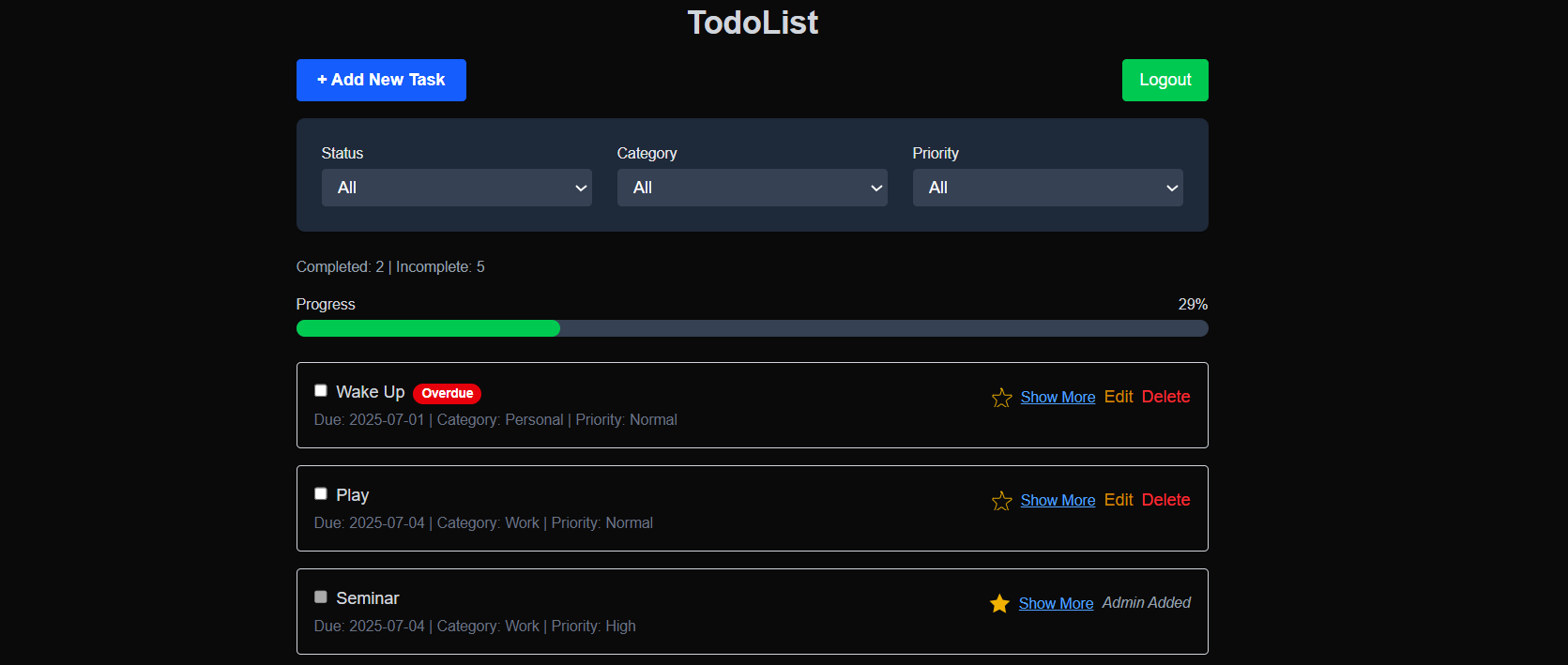
-
Create a Task
Click on "+ Add New Task" and enter task details like title, due date, category, and priority.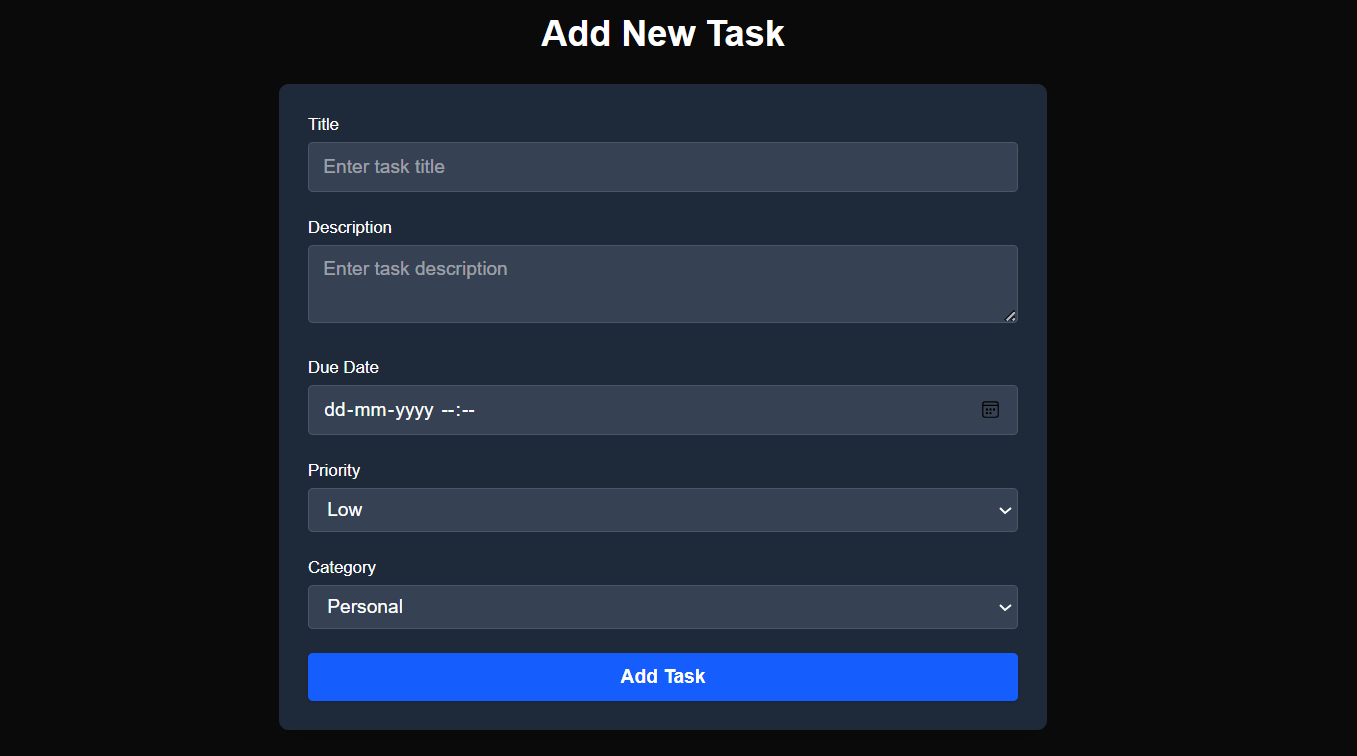
-
Filter by Status, Category, or Priority
Use the filter bar to quickly find tasks based on your preferences.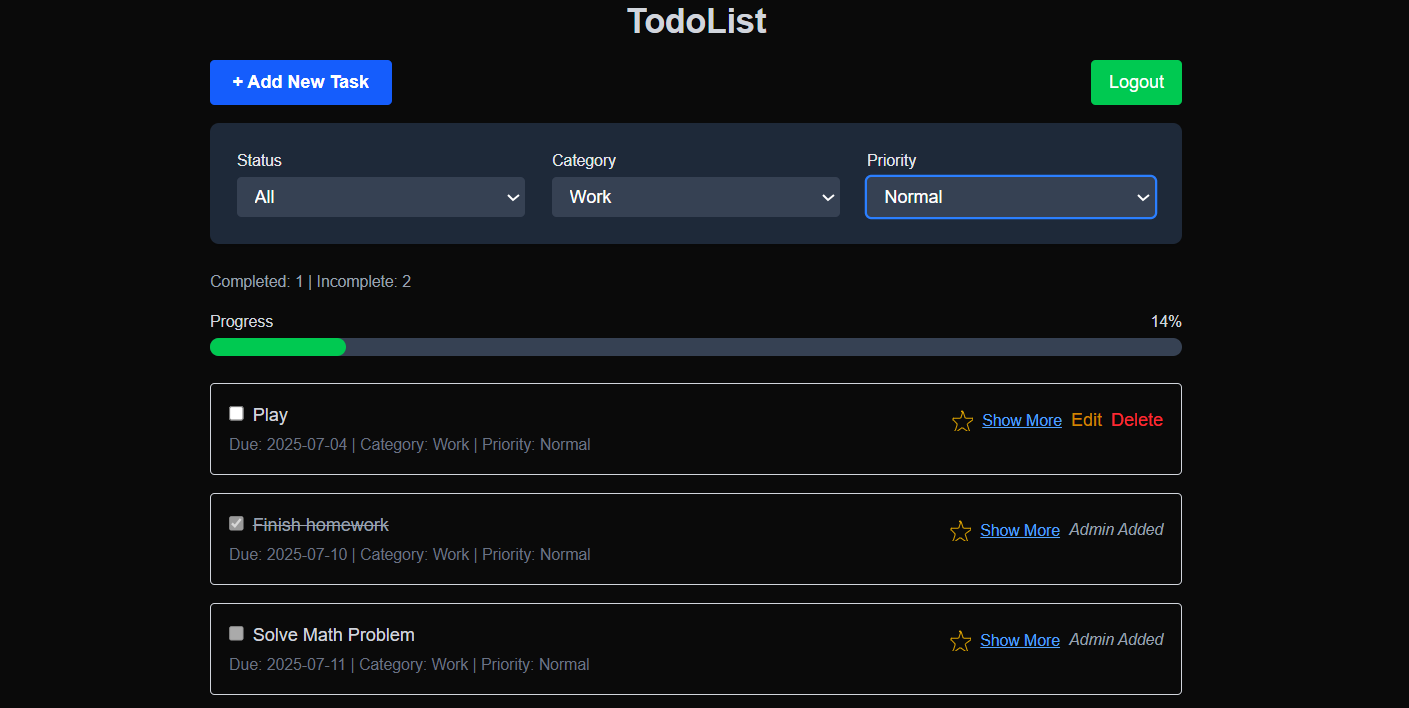
-
Track Completion
Mark tasks as completed using the checkbox. Progress is displayed via a progress bar. -
Edit & Delete Tasks
You can edit or delete your own tasks anytime. Admins can manage tasks for any user. -
Overdue Tasks
Tasks past their due date are automatically labeled as Overdue for visibility. -
Admin Actions
Admins can access/admin/{userId}or via username to manage another user’s tasks fully.

- Logout
End your session securely using the logout button, which clears your token from local storage.
- Frontend: Next.js, React, Tailwind CSS
- Backend: ASP.NET Core, Entity Framework Core
- Database: SQLite
- Authentication: JWT (JSON Web Tokens)
GitHub Copilot was instrumental in the development process by:
- Auto-generating boilerplate code for controllers, models, and components.
- Suggesting efficient function implementations for task management and filtering.
- Improving code readability and naming conventions.
- Speeding up repetitive tasks like creating state management logic and API endpoints.
TodoApi/
├── .github/                # GitHub workflows and configurations
├── Controllers/            # API controllers
│   ├── UsersController.cs  # Handles user-related endpoints
│   ├── TodoItemsController.cs # Handles task-related endpoints
│   ├── AdminController.cs  # Handles admin-specific endpoints
├── Data/                   # Database context and configurations
│   ├── TodoDbContext.cs    # Entity Framework database context
├── DTOs/                   # Data Transfer Objects
│   ├── RegisterDto.cs      # DTO for user registration
│   ├── LoginDto.cs         # DTO for user login
│   ├── TodoItemDto.cs      # DTO for task data
│   ├── AdminDto.cs         # DTO for admin-specific actions
├── Migrations/             # EF Core migrations
│   ├── SeededData.Designer.cs # Migration for seeded data
│   ├── InitWithRoles.cs    # Initial migration with roles
│   ├── TodoDbContextModelSnapshot.cs # Snapshot of the database schema
├── Models/                 # Database models
│   ├── AppUser.cs          # User model
│   ├── TodoItem.cs         # Task model
├── Services/               # Business logic services
│   ├── IUserService.cs     # Interface for user service
│   ├── UserService.cs      # Implementation of user service
│   ├── IAdminService.cs    # Interface for admin service
│   ├── AdminService.cs     # Implementation of admin service
├── Properties/             # Project properties
│   ├── launchSettings.json # Launch settings for development
├── appsettings.json        # Application settings
├── appsettings.Development.json # Development-specific settings
├── Program.cs              # Entry point for the backend application
├── TodoApi.csproj          # Project file for the backend
├── TodoApi.http            # HTTP file for testing API endpoints
├── todo.db                 # SQLite database file
todo-frontend/
├── .next/                  # Next.js build output
├── public/                 # Static assets
├── src/                    # Source code
│   ├── app/                # Application pages and components
│   │   ├── components/     # Reusable UI components
│   │   │   ├── TaskList.tsx # Component for displaying task lists
│   │   │   ├── TaskItem.tsx # Component for individual task items
│   │   ├── hooks/          # Custom React hooks
│   │   │   ├── useTasks.ts # Hook for fetching tasks
│   │   │   ├── types.ts    # Type definitions
│   │   ├── edit-task/      # Edit task page
│   │   │   ├── [id]/page.tsx # Dynamic route for editing tasks
│   │   ├── signup/         # Signup page
│   │   │   ├── page.tsx    # Signup form
│   │   ├── login/          # Login page
│   │   │   ├── page.tsx    # Login form
│   │   ├── admin/          # Admin pages
│   │   │   ├── assign-task/ # Assign task page
│   │   │   │   ├── page.tsx
│   │   │   ├── [userId]/   # Admin user-specific tasks
│   │   │   │   ├── page.tsx
│   │   │   ├── page.tsx    # Admin dashboard
│   ├── axiosConfig.ts      # Axios configuration for API requests
├── .env.example            # Example environment variables
├── .env.local              # Local environment variables
├── package.json            # Project dependencies
├── tsconfig.json           # TypeScript configuration
├── next.config.ts          # Next.js configuration
├── README.md               # Frontend-specific README