
A compact Home Assistant Lovelace card that shows your energy flows in a few small pills: solar, battery, grid, home, heat pump, EV charger, or anything else with a power sensor. Three pills per row, so it fits in a narrow dashboard slot where a full energy-flow card is too big.
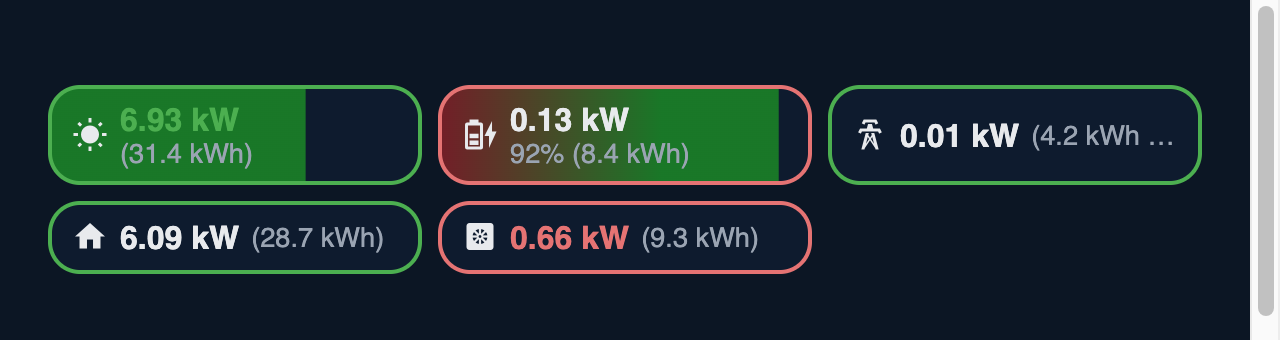
- One pill per device: icon, live power in kW, and optional values in brackets.
- Border colour shows the energy direction (green or red, configurable per device, can be inverted).
- Brackets show what matters per device type: battery state of charge, daily energy (kWh), grid price.
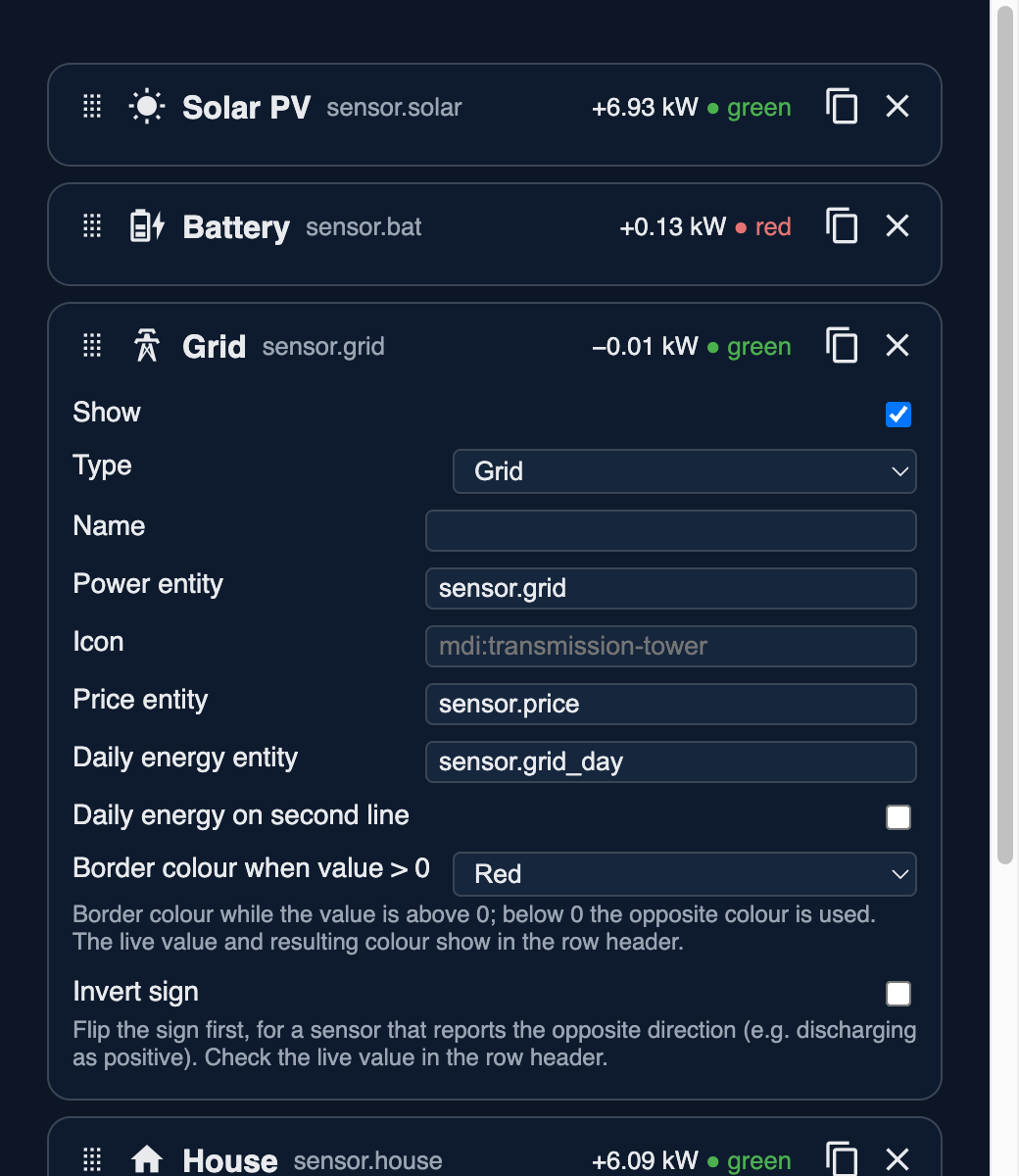
- Visual editor: drag to reorder, copy, remove, and switch any device off. Only fields that apply to the device type are shown.
- Standard
mdi:icon per device type (sun, battery, tower, house, heat pump, car); override with anymdi:icon or emoji. - Tap a pill to open the entity's more-info dialog.
- W values are converted to kW automatically. No dependencies, one JS file.
- HACS → ⋮ → Custom repositories →
https://github.com/koehntopp/ha-slimenergy, type Dashboard → Download. - If it isn't added automatically: Settings → Dashboards → Resources →
/hacsfiles/ha-slimenergy/slim-energy-card.js, type JavaScript module. - Reload the browser, then add the card Slim Energy Card.
Use the visual editor, or YAML.
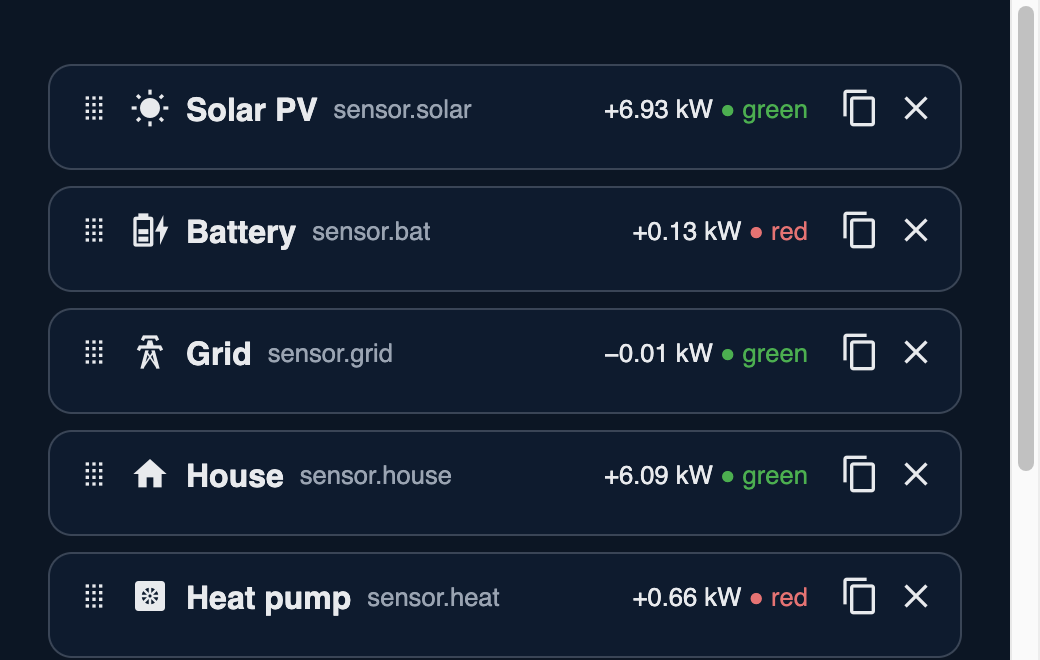
Each device has a type. The type sets the default icon and border colour, and decides which fields are offered (battery: state of charge entity, grid: price entity).
type: custom:slim-energy-card
entities:
  - type: solar                        # solar|battery|grid|home|heatpump|ev|other
    entity: sensor.solar_power
    entity_2: sensor.solar2_power      # optional second inverter, summed
    daily_entity: sensor.solar_energy_today   # kWh, shown in brackets
    daily_entity_2: sensor.solar2_energy_today
    peak_kw: 10                        # optional: pill fills green up to output / peak
  - type: battery
    entity: sensor.battery_power
    soc_entity: sensor.battery_soc     # shows (52%)
    soc_fill: true                     # optional: pill filled red->green by SoC
  - type: grid
    entity: sensor.grid_power
    price_entity: sensor.grid_price    # grid only; bracket: (4.2 kWh · 0.28 €/kWh)
    daily_entity: sensor.grid_import_today
  - type: home
    entity: sensor.house_power
    name: House                        # tooltip and editor label
enabled: false # hide this deviceThe border shows the direction of the energy, not whether it is "good":
- The pill shows the absolute value. The sign decides the colour.
- Value above 0: the device's
positive_color(green or red). Value below 0: the other colour. Close to 0 (underthreshold): neutral. invert: trueflips the sign before this, for sensors that report the opposite direction.- Defaults assume the usual sign: solar, home: positive is green. Battery: charging (positive) is red. Grid: import (positive) is red, export green. Heat pump, EV: positive is red.
- In the editor, each row header shows the live value and the colour it gets right now, e.g.
+0.13 kW ● red, so you can check a setting immediately.
| Option | Default | Description |
|---|---|---|
type |
other |
solar, battery, grid, home, heatpump, ev, other |
entity |
required | Power sensor (W or kW). Shown as absolute kW. |
entity_2 |
Solar only: optional second power sensor (second inverter), added to entity |
|
name |
type name | Tooltip and editor label |
icon |
per type | Any mdi:... icon or an emoji. Defaults: solar mdi:white-balance-sunny, battery mdi:battery-charging-medium, grid mdi:transmission-tower, home mdi:home, heat pump bha:heat-pump (shown when the BHA icon pack is installed, else mdi:heat-pump), EV mdi:car-electric, other mdi:flash |
soc_entity |
Battery only: state of charge, shown as (52%) |
|
soc_fill |
false |
Battery only: fill the pill from the left up to the state of charge, with a red to green gradient |
daily_entity_2 |
Solar only: second daily energy sensor, added to daily_entity |
|
daily_line |
false |
Show SoC, daily energy and price on a second line in the pill (SoC plain, daily and price in brackets) instead of next to the value |
color_value |
false |
Colour the power value green or red like the border |
peak_kw |
Solar only: peak capacity in kW (sum of both inverters). The pill is filled green from the left up to the current output as a share of it | |
price_entity |
Grid only: price, shown in brackets | |
daily_entity |
Daily energy sensor in kWh or Wh, shown in brackets | |
positive_color |
per type | Border colour when the value is above 0: green or red. Solar, home, other: green. Battery, grid, heat pump, EV: red. The opposite colour is used below 0. |
invert |
false |
Flip the sign before colouring |
enabled |
true |
false hides the device |
decimals |
2 |
Decimals of the power value |
threshold |
0.005 |
Below this many kW the border stays neutral |
Border colours can be themed with the CSS variables --slim-green and --slim-red.
MIT, see LICENSE. Icons come from Home Assistant's built-in Material Design Icons.