









adaptive is an open-source Python library for adaptive parallel function evaluation.
You supply a function and its bounds, and adaptive evaluates it at the "best" points in parameter space, instead of at all points of a dense grid.
With a few lines of code you can run the evaluations on a computing cluster, live-plot the data as it comes in, and fine-tune the sampling algorithm.
adaptive works best when each function evaluation takes at least ≈50 ms, because picking the next points has some overhead.
It is meant for functions of a few parameters: with more dimensions, LearnerND quickly becomes slower and less effective.
Try the example notebook on Binder or read the tutorial.
With the same number of points, adaptive sampling resolves features that a homogeneous grid misses:
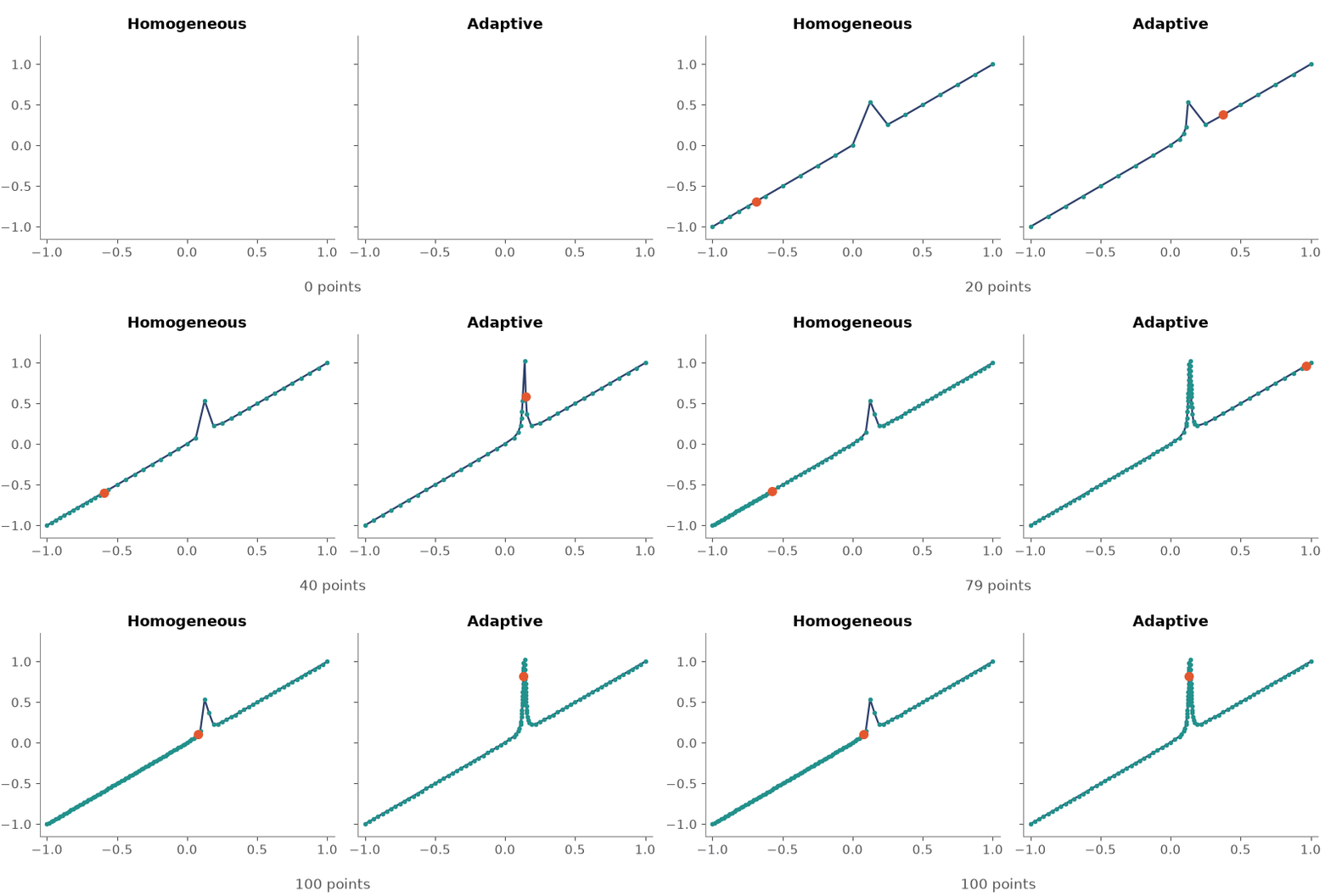
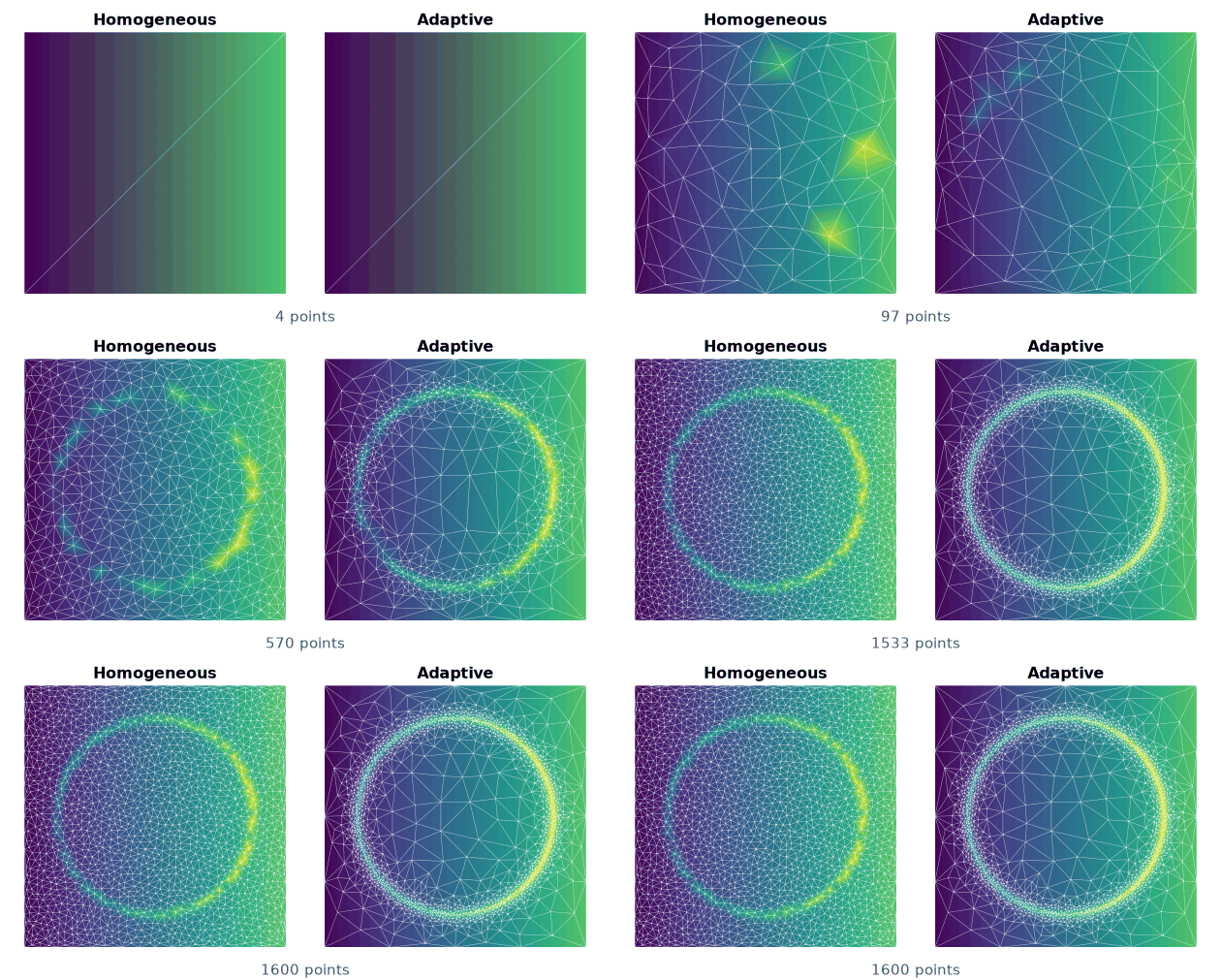
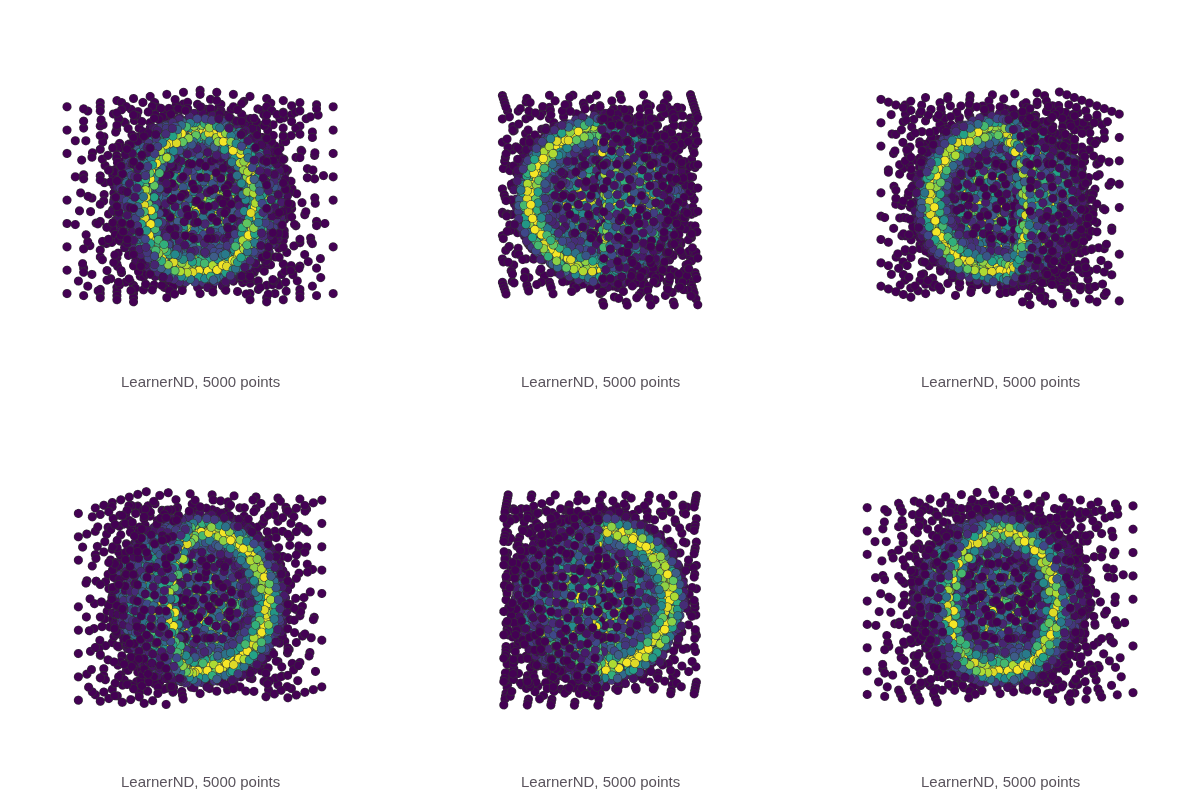
Learning a 1D function and live-plotting the process in a Jupyter notebook:
from adaptive import notebook_extension, Runner, Learner1D

notebook_extension()


def peak(x, a=0.01):
    return x + a**2 / (a**2 + x**2)


learner = Learner1D(peak, bounds=(-1, 1))
runner = Runner(learner, loss_goal=0.01)
runner.live_info()
runner.live_plot()
The Runner works in the background, so the notebook stays usable while it runs.
In a script, use BlockingRunner, which returns once the goal is reached:
from adaptive import BlockingRunner, Learner1D


def peak(x, a=0.01):
    return x + a**2 / (a**2 + x**2)


learner = Learner1D(peak, bounds=(-1, 1))
BlockingRunner(learner, loss_goal=0.01)
data = learner.to_numpy()  # array with columns x, y
learner.to_dataframe() returns the same data as a pandas DataFrame (pandas comes with the [notebook] extra).
The core concept in adaptive is the learner.
A learner samples a function at the points in its parameter space that tell it the most about the function.
As it evaluates more points, it gets a better idea of where to sample next.
What the "best" points are depends on your application.
Each learner ranks candidate points with a loss function.
The default losses put more points where the function changes quickly; you can pass a built-in alternative, such as curvature_loss_function() or resolution_loss_function(), or write your own (see the custom loss tutorial).
The following learners are implemented:
Learner1D, for 1D functionsf: ℝ → ℝ^N,Learner2D, for 2D functionsf: ℝ^2 → ℝ^N,LearnerND, for ND functionsf: ℝ^N → ℝ^M,AverageLearner, for random variables where you want to average the result over many evaluations,AverageLearner1D, for stochastic 1D functions where you want to estimate the mean value of the function at each point,IntegratorLearner, for when you want to integrate a 1D functionf: ℝ → ℝ,SequenceLearner, for when you want to evaluate a fixed sequence of points while still using the runners and data export ofadaptive.
Meta-learners (to be used with other learners):
BalancingLearner, for when you want to run several learners at once, selecting the "best" one each time you get more points,DataSaver, for when your function doesn't just return a scalar or a vector.
In addition to the learners, adaptive provides primitives for running the sampling across several cores and even several machines, with built-in support for
concurrent.futures,
mpi4py,
loky,
ipyparallel, and
distributed.
By default, both runners evaluate the function in parallel on all cores of the local machine, using loky.
To use one of the others, pass it as executor, for example Runner(learner, executor=distributed.Client()); the parallelism tutorial has an example for each.
adaptive works with Python 3.11 and higher on Linux, Windows, and macOS.
Install it with conda:
conda install -c conda-forge adaptiveor from PyPI:
pip install adaptiveAdd the [notebook] extra (pip install "adaptive[notebook]") for live plotting and widgets in JupyterLab and Jupyter Notebook, and for to_dataframe(); no Jupyter extensions are needed.
Installing the optional adaptive-triangulation package makes adaptive.LearnerND significantly faster by replacing the pure-Python triangulation with a Rust implementation:
pip install "adaptive[rust]"No code changes are needed. The Rust backend is detected and used automatically.
To control the selection, pass LearnerND(..., triangulation_backend="python" | "rust" | "auto") per learner, or set the environment variable ADAPTIVE_TRIANGULATION_BACKEND=python to force the pure-Python implementation globally (or to rust to make a missing Rust backend an error instead of a silent fallback).
Clone the repository and install it in editable mode with the optional dependencies:
git clone https://github.com/python-adaptive/adaptive.git
cd adaptive
pip install -e ".[notebook,test,other]"
We recommend a virtual environment, for example with uv (uv sync --extra notebook --extra test --extra other) or Conda.
We use pre-commit for a consistent code style; install the hooks with
pre-commit installRun the tests with pytest.
If you edit example-notebook.ipynb, install nbconvert and run python ipynb_filter.py once, so git strips the notebook output on commit.
The documentation is built with Zensical.
The executable pages in docs/notebooks/ are Jupyter notebooks in jupytext's MyST Markdown format.
docs/build_notebooks.py executes them (with caching) and renders them into docs/, after which Zensical builds the site:
uv run --group docs python docs/build_notebooks.py
uv run --group docs zensical serve  # preview on http://localhost:8000
The README animations are made from real learner runs with uv run --group docs python docs/make_animations.py, which needs ffmpeg and Chrome or Chromium.
If you used adaptive in a scientific work, please cite it as follows.
@misc{Nijholt2019,
  doi = {10.5281/zenodo.1182437},
  author = {Bas Nijholt and Joseph Weston and Jorn Hoofwijk and Anton Akhmerov},
  title = {\textit{Adaptive}: parallel active learning of mathematical functions},
  publisher = {Zenodo},
  year = {2019}
}
The algorithms are described in more detail in a draft paper.
We would like to give credits to the following people:
- Pedro Gonnet for his implementation of CQUAD, "Algorithm 4" as described in "Increasing the Reliability of Adaptive Quadrature Using Explicit Interpolants", P. Gonnet, ACM Transactions on Mathematical Software, 37 (3), art. no. 26, 2010.
- Pauli Virtanen for his
AdaptiveTriSamplingscript (no longer available online since SciPy Central went down), which served as inspiration foradaptive.Learner2D.
For general discussion, we have a Gitter chat channel. If you find any bugs or have any feature suggestions, please file a GitHub issue or submit a pull request.